Buying and Installing a Security Camera Surveillance Network DVR-Includes how to connect to the internet for remote viewing with a smartphone or tablet. by Benetti B
Author:Benetti, B. [Benetti, B.]
Language: eng
Format: azw3
Published: 2013-10-20T16:00:00+00:00
Turning on the DVR
Once you have everything connected turn the DVR on and you should see the cameras you installed. At this point no doubt you will want to adjust them around for the best view. Every DVR will have its own setup as far as logging in, motion detectors, play back and so on. Most DVR login is username "admin" and the password is left blank, but yours may be deferent so be sure to have the manual on hand.
Connecting the DVR to a smart phone or tablet
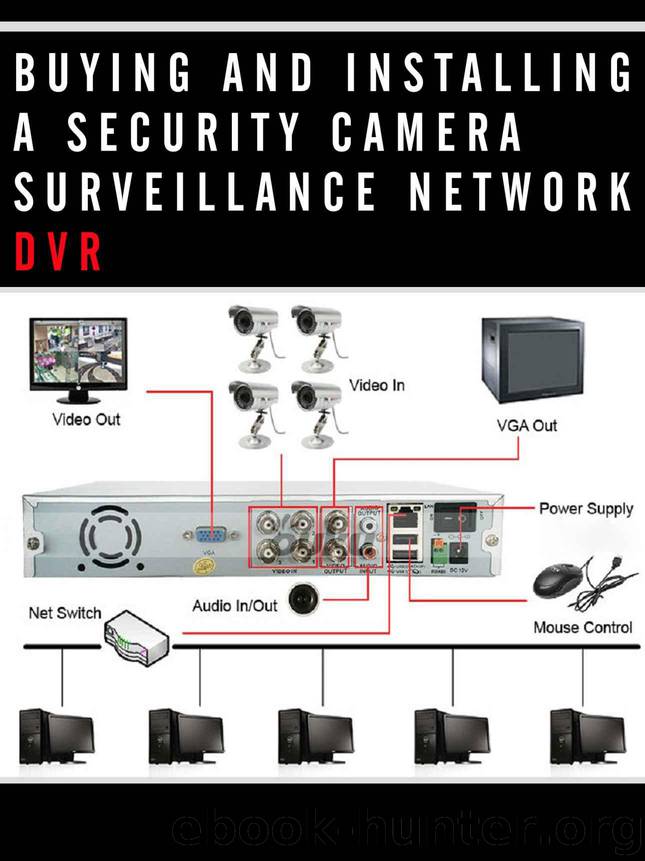
Being able to monitor your home when you are away is one of the greatest things about a modern DVR camera system. At this point the System should be up and running with the cameras being viewable on a monitor. The DVR should also be connected to your router with a CAT 5 cable.
I will not be able to explain everything about IP, subnet mask and so on. So this is a basic how to on what needs to be done to view your system online. Plus to make things worse every router has a different setup. The router is what all your devices talk to before going out to the internet.
I will include a section of how to port forward a router at the end of the book, but this will be specific to my router and every router has a deferent setup menu and options.
The router will be have to be setup for Port Forwarding. Some routers make this simple and some make it harder. You will have to Google your router model number and how to port forward it. Every router has a different setup and way of doing this.
The basic reason we need to port forward is you will have an internal IP address that your router assigns each of your devices. Your computer, tablet, Smartphone will all have an IP address that is assigned by your own router. The world beyond your router will not see these internal IP address. Most of the time the router handles this with common ports such as port 80 which is a web site port and will automatically direct your devices.
With a DVR you will need to port forward the port used by the DVR to the outside world so you can view your cameras.
Things you will need
Internal IP address of the DVR
External IP address. This is the address the outside world sees you as, to see this simply Google what is my IP address and Google will show you.
The monitor port the DVR uses to connect.
Download
This site does not store any files on its server. We only index and link to content provided by other sites. Please contact the content providers to delete copyright contents if any and email us, we'll remove relevant links or contents immediately.
The Mikado Method by Ola Ellnestam Daniel Brolund(26289)
Hello! Python by Anthony Briggs(25216)
Secrets of the JavaScript Ninja by John Resig Bear Bibeault(24445)
Kotlin in Action by Dmitry Jemerov(23533)
The Well-Grounded Java Developer by Benjamin J. Evans Martijn Verburg(22878)
Dependency Injection in .NET by Mark Seemann(22666)
OCA Java SE 8 Programmer I Certification Guide by Mala Gupta(21430)
Algorithms of the Intelligent Web by Haralambos Marmanis;Dmitry Babenko(20272)
Grails in Action by Glen Smith Peter Ledbrook(19342)
Adobe Camera Raw For Digital Photographers Only by Rob Sheppard(17055)
Sass and Compass in Action by Wynn Netherland Nathan Weizenbaum Chris Eppstein Brandon Mathis(16365)
Secrets of the JavaScript Ninja by John Resig & Bear Bibeault(14077)
Test-Driven iOS Development with Swift 4 by Dominik Hauser(12254)
Jquery UI in Action : Master the concepts Of Jquery UI: A Step By Step Approach by ANMOL GOYAL(11532)
A Developer's Guide to Building Resilient Cloud Applications with Azure by Hamida Rebai Trabelsi(10643)
Hit Refresh by Satya Nadella(9219)
The Kubernetes Operator Framework Book by Michael Dame(8579)
Exploring Deepfakes by Bryan Lyon and Matt Tora(8432)
Robo-Advisor with Python by Aki Ranin(8376)
